
Laps
You just read. Laps does the math.
Download on theApp StoreOne book free forever
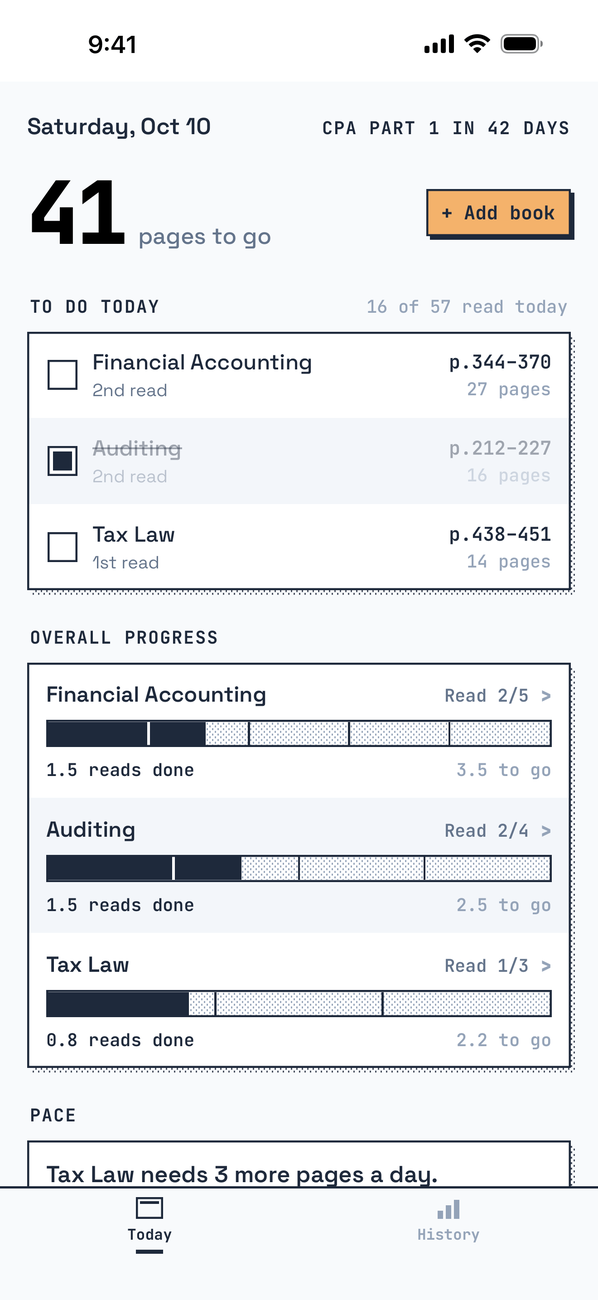
Today's pages
One tap when you're done
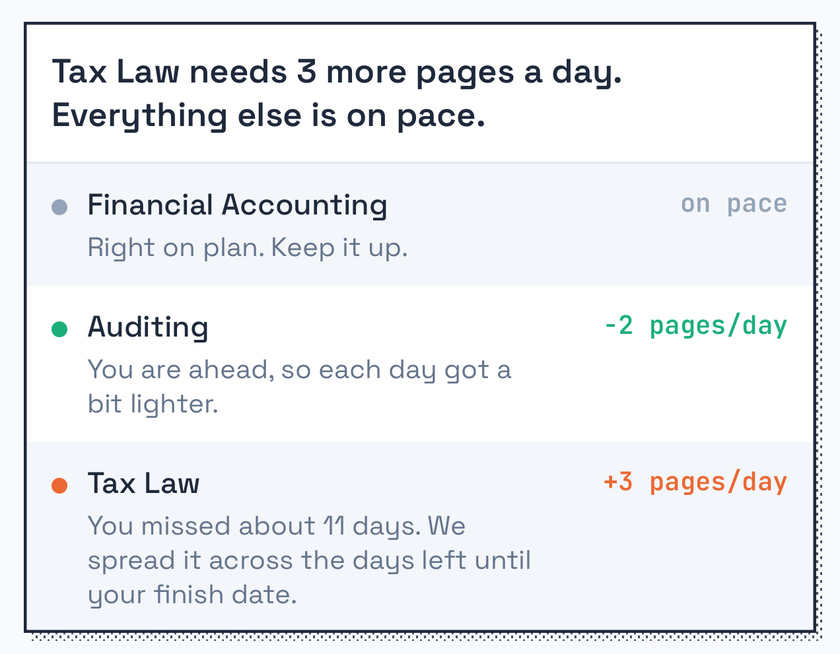
Behind? A few pages more a day
Laps spreads the rest to your finish date
Laps iPhone, 12 languages
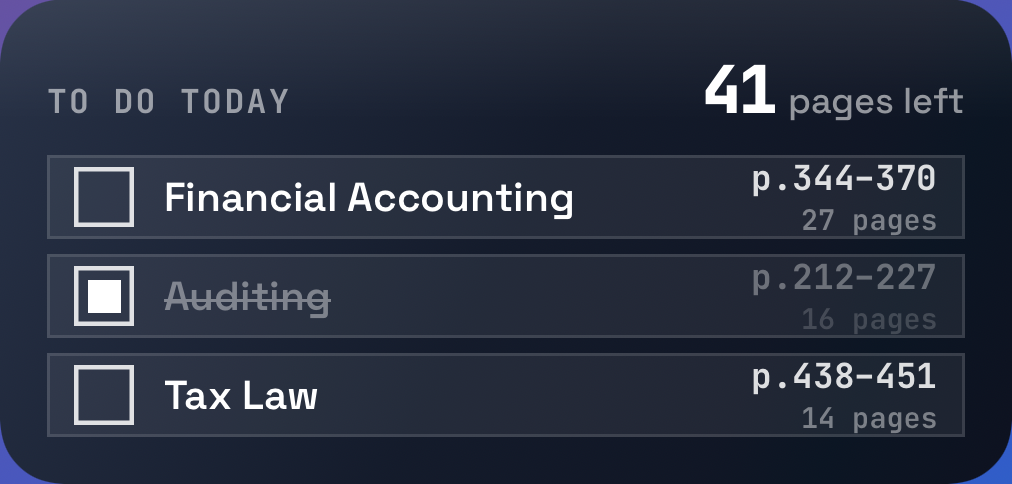
On your Home Screen
Check off without opening the app
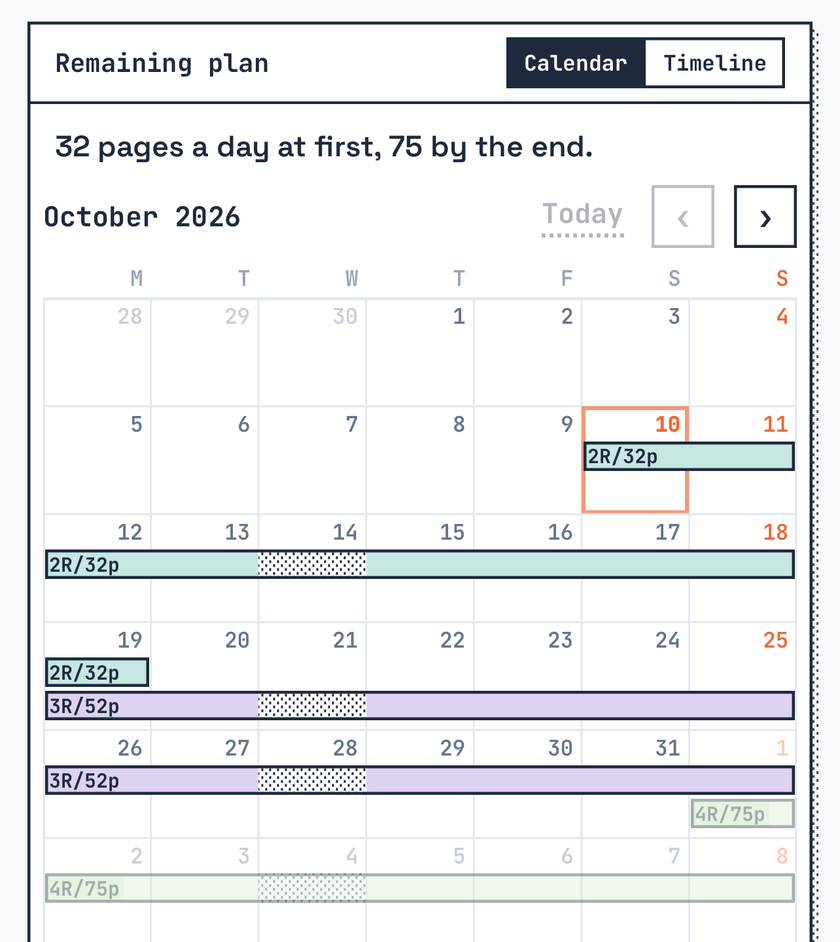
Counts how every read gets faster
Lands right on your finish date
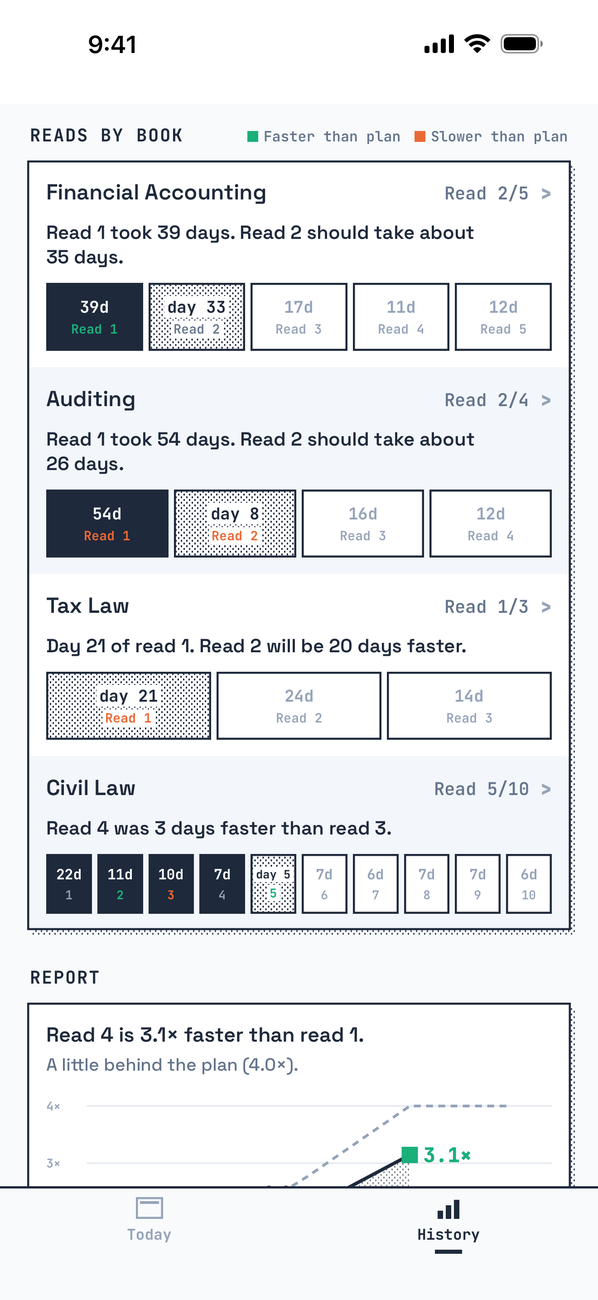
Watch reads get faster
How many days each read took
One book, free forever
One book, everything else included
As many books as you like, plus widgets
Questions
What happens when I fall behind?
Nothing for you to do. Each morning Laps divides what is left by the study days left until your finish date. The Pace box shows how many pages a day that added.
What does "reads get faster" mean?
The second time through a book goes faster than the first. Laps counts that: a page takes 1.7× less time with every read by default, never more than 4× faster. You can set it between 1.1× and 2.0× for each book.
Can I take days off?
Pick rest days of the week and Laps leaves them out when it divides the pages. If you read on a rest day anyway, it still counts.
Do I have to enter an exam?
No. Each book is planned up to its own finish date. An exam adds the countdown on top and a heads-up on exam day.
Can I read only some chapters?
Yes. Choose "By chapter", tick the chapters you need, and each day ends at a chapter break when it is close.
When does a day start?
At 4:00 in the morning. Reading late at night still counts for the evening before.
What is free, and is it a subscription?
One book is free forever, with every other feature included. The Lifetime Pass is a one-time purchase that adds as many books as you like and the widgets. It is not a subscription.
Where is my data?
Only on your iPhone. There is no account, no server and no analytics. Deleting the app deletes it.
Are there widgets?
Small and medium Home Screen widgets and a Lock Screen widget, with the Lifetime Pass. You can check off a book right from the medium widget.
Which languages?
12 languages. You can pick the app language in Settings, apart from your iPhone language.
Anything else? Write to laps@wlswo.me.